
WordPress Server Troubleshooting Without Throwing Money at It
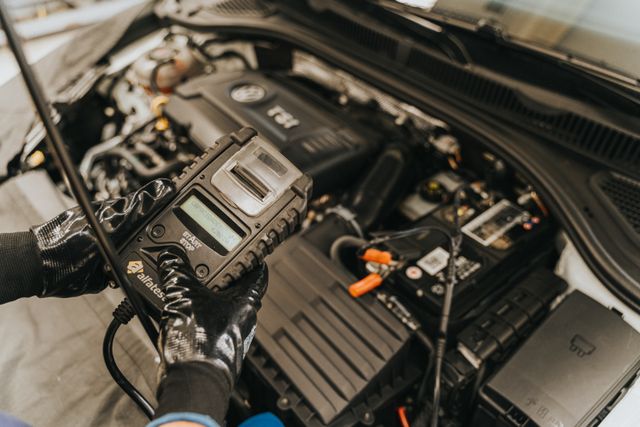
WordPress server troubleshooting has a bad habit of making the parts cannon look attractive. When a server starts acting up, the temptation is to pop the hood, stare thoughtfully at everything at once, and start upgrading the server.
That’s how you turn one problem into six.
Adventure Adjacent was the site that first pulled into the shop with the check-engine light flashing. Visitors were getting the generic WordPress “critical error” page. Raymond Tec was still running, but its own administrative requests were throwing resource-related warnings. Both sites lived on the same underlying web stack, which meant the obvious question was also the dangerous one. Was this one shared infrastructure problem, or two unrelated problems that showed up at the same time?
That distinction matters. If your car starts hard and the radio also cuts out, you can decide the battery is bad and replace it. Maybe you’re right. Or maybe the starter is drawing too much current and the radio is simply the first place you notice the voltage drop. Replacing the battery may make the symptoms disappear for a while without repairing the actual fault.
Server troubleshooting works the same way.
The goal was not to make the error page go away. The goal was to figure out what was failing, why it was failing, and whether the repair would still be working after the engine warmed up.
Start with the dashboard, not the parts cannon
The first step was the boring one: look at the gauges.
Before changing WordPress, the database, caching, PHP, or the web server, I checked the health of the services underneath them. Were processes actually running? Was the server under unusual load? Were PHP workers stuck? Were there obvious errors in the web-server and PHP logs? Was one site consuming resources while the others sat there minding their own business?
This is the server equivalent of checking the oil pressure, coolant temperature, charging voltage, and diagnostic codes before ordering an alternator.
The logs immediately gave us useful direction. PHP was doing more work than it should have been doing, there had been a significant number of slow requests, and some requests on Raymond Tec were exhausting the memory available to PHP. That didn’t automatically mean “add more memory.” It meant we had found a gauge worth watching.
There were also configuration leftovers from earlier changes. Raymond Tec had redundant memory-related settings and was still carrying an older PHP process pool that no longer needed to exist. None of that is especially dramatic, but accumulated leftovers are exactly the kind of thing that make a machine harder to diagnose. If two mechanics have adjusted the same screw in different directions, you first need to determine which adjustment is actually controlling the engine.
So the early work was cleanup and normalization: remove duplicate settings, standardize the active PHP runtime, retire the obsolete process path, and give the sites reasonable headroom without pretending infinite memory is a repair.
Technical discovery & auditing
The public page doesn’t tell you much about the machinery behind it. Raymond Tec audits inherited and long-running projects to uncover the plugins, integrations, data, dependencies, and old decisions that determine what the next change will really involve.
One repair, one test
This is the part that matters most.
When you have several plausible causes, changing all of them at once feels efficient. It’s not. If the engine starts afterward, you have no idea whether the bad part was the battery, the fuel pump, the relay, or the connector you happened to bump while reaching for something else.
I made changes incrementally and tested after each one.
Adventure Adjacent got additional PHP headroom and a more conservative process-pool setup so idle workers were not sitting around consuming resources just because they could. The number of simultaneous PHP workers was kept intentionally small enough for the hardware underneath it. The workers were also configured to recycle periodically rather than living forever and accumulating whatever baggage a long-running PHP process manages to collect.
Then the site was tested.
Not “the homepage loaded once, ship it” tested. Pages were requested repeatedly. WooCommerce product URLs were checked. Administrative requests were exercised. Logs were watched while the site was being used. The question after every change was the same one a mechanic asks after clearing a diagnostic code: did the fault actually stay gone?
With the PHP side behaving better, plugin and theme updates came next. That sounds mundane because it is. It’s also maintenance that matters. A modern WordPress site is a pile of code written by different teams, released on different schedules, all sharing one engine bay. Running old components while diagnosing a new failure adds uncertainty for no useful reason.
The updates did not magically solve everything. Good. We weren’t looking for magic. We were reducing variables.
The cache was helping… at first
The next system under the hood was caching.
Caching exists because repeatedly rebuilding the same information is wasteful. If WordPress already knows a setting, a database result, or a rendered page can be safely reused, it should reuse it. Keep it close at hand instead of building the same static page over and over again.
Think of it like the top tray of a mechanic’s cart. The tools used constantly stay within reach. You don’t walk across the shop for the same socket every two minutes.
The problem is that speed stops being useful when the top tray contains the wrong tool.
The Redis object cache needed attention. Its expiration behavior was adjusted so WordPress was not constantly throwing away useful cached objects. Then, several core option values were excluded because caching those particular values was creating more risk than benefit.
An old scheduled job that flushed the entire object cache every hour was also removed. That hourly flush was the web equivalent of dumping the mechanic’s entire tool cart onto the floor every sixty minutes because one wrench might be dirty.
It technically guarantees a fresh start. It also guarantees unnecessary work.
WordPress security & maintenance
Keeping WordPress current is only part of keeping it healthy. Raymond Tec handles updates, backups, security monitoring, compatibility problems, access cleanup, and maintenance — plus the assorted weirdness that accumulates on a site over time.
After those changes, Redis was restarted cleanly and the sites were tested again. Product pages that had been misbehaving were checked repeatedly. The site continued returning normal responses instead of falling back into the previous failure pattern.
That told us something important: the cache had been part of the instability, but it was not the only system involved.
WooCommerce changes the rules
Adventure Adjacent is not just WordPress. It is WooCommerce, and ecommerce makes caching more complicated.
A standard page can often be cached aggressively because every visitor can receive essentially the same page. A cart cannot. A checkout cannot. Account pages cannot. Responses depending on cookies or session state can’t be treated like a static “About Us” page without eventually creating the sort of problem that makes everyone involved say words not suitable for a professional Insights article.
The server-level page cache was reviewed and tuned around that reality. Public pages could benefit from fast caching, while WooCommerce carts, checkout, account functions, authenticated users, and other session-sensitive requests needed clean bypasses.
Again, the important part was not enabling a cache. It was defining where the cache should get out of the way.
That distinction shows up constantly in technology work. The fastest configuration is not necessarily the best configuration. A race car with no passenger seats is lighter. That does not make it a good family vehicle.
Once the cache behavior was sane, Adventure Adjacent still had one particularly WordPress-shaped problem: product URLs were intermittently behaving as though the products didn’t exist.
The products were there. The database knew they were there. WooCommerce knew they were there. The routing rules that translated friendly product addresses into the correct WordPress requests had gotten out of sync.
So the rewrite rules were rebuilt.
Then the product URLs were tested again, repeatedly, before and after restarting the cache service. They stayed healthy.
That is a very different outcome from “I flushed everything and it works now.” A blanket flush can hide the problem by temporarily resetting every moving part. Rebuilding the specific routing data and then proving the site survived a cache restart told us the repair was actually holding.
Project rescue
Old code, half-finished migrations, mystery plugins, undocumented decisions, three previous developers and nobody quite sure what still matters — this is a recognizable genre of project. Raymond Tec helps figure out what’s there, what still works, and how to move forward without starting over blindly.
Background jobs can be the invisible load
There was another quiet contributor: scheduled background work.
WordPress sites do far more than respond when somebody loads a page. They send mail, process queues, run maintenance, clean temporary data, schedule posts, refresh information, and let plugins perform whatever chores their developers decided should happen when nobody is looking.
MailPoet was doing some of that work through the normal WordPress scheduling mechanism. On a busy site, that can mean ordinary visitor requests are occasionally asked to tow a trailer full of background work.
The mail jobs were moved into WooCommerce’s Action Scheduler, which is better suited to managing queued background tasks and gives those jobs a more structured place to run.
That was not a response to one giant smoking crater in the logs. It was preventative maintenance discovered during diagnosis.
This is why fixing a server sometimes resembles taking a car in for a misfire and discovering the serpentine belt is starting to crack. The belt may not be why you pulled into the shop, but ignoring it because it did not trigger the original warning light isn’t good maintenance.

The larger lesson is that resource problems rarely come from one spectacular process chewing through the whole machine. More often, the trouble is cumulative:
- A little too much PHP memory here
- A few idle workers there
- An overactive background job
- A cache being emptied unnecessarily
- A stale rule
- And an old configuration still hanging around because nobody had a reason to remove it
Each one is survivable by itself.
Together, they make the engine run rough.
The final test is whether you can stop touching it
After the individual repairs, the sites were exercised as systems instead of as isolated components.
- Adventure Adjacent’s public pages and WooCommerce products were loaded repeatedly.
- The administrative side was checked.
- Raymond Tec’s heavier requests were tested against the cleaned-up PHP configuration.
- Redis was restarted to make sure the site did not depend on a lucky cache state.
- Logs were reviewed again for fresh fatal errors.
The goal was functional sites without warnings.
Boring. But, boring is underrated.
There is a kind of troubleshooting that produces a dramatic before-and-after screenshot, and there is a kind that ends with a log file doing absolutely nothing interesting. I will take the second one every time.
Reliable automation
Automation is wonderful until it quietly stops working three Tuesdays ago. Raymond Tec builds integrations with logging, monitoring, and failure handling in mind so the boring work stays automated without becoming mysterious.
WordPress server troubleshooting is a process, not a trick
The easiest story to tell about this repair would be that Adventure Adjacent went down, I found the bad setting, changed it, and everything was fixed.
That would also be wrong.
The actual repair was a series of small, defensible decisions:
- Inspect the logs before touching anything
- Clean up conflicting PHP configuration
- Give the application appropriate resources
- Update the software stack
- Stop flushing useful cached data for no reason
- Exclude the things that should not be held in that cache
- Make server-level caching WooCommerce-aware
- Rebuild routing rules
- Move background jobs into a better queue
- Restart services
- Keep testing between changes.
None of those steps are especially glamorous. Together, they are what made the repair trustworthy.
That is the part of WordPress server troubleshooting I wish more people talked about. The job isn’t to know one secret command that fixes WordPress. There’s no magic plugin combination that will make your site fast and reliable.
The job is to narrow the problem without damaging the evidence, make one change you can explain, and test whether the machine behaves differently afterward.
A good mechanic does not replace every part mentioned by the scan tool. A good mechanic uses the code as a clue, understands how the systems interact, tests the likely cause, and verifies the repair under the conditions that produced the fault.
Servers deserve the same courtesy.
The next time a site throws a critical error, a product page starts returning the wrong response, or a server suddenly feels slower than it did yesterday, the best first move is usually not to start swapping parts.
Read the dashboard. Pull the codes. Make one repair. Test drive it.
Then, if the check-engine light stays off, close the hood.
Keeping a website running is its own job. Raymond Tec provides website security and maintenance, including updates, backups, monitoring, access cleanup, recovery planning, and help when something has already gone sideways.



Infrastructure Monitoring: When the Monitors Break
September 30, 2026 @ 3:05 pm
[…] Troubleshooting starts when you stop treating the summary as the diagnosis. […]